

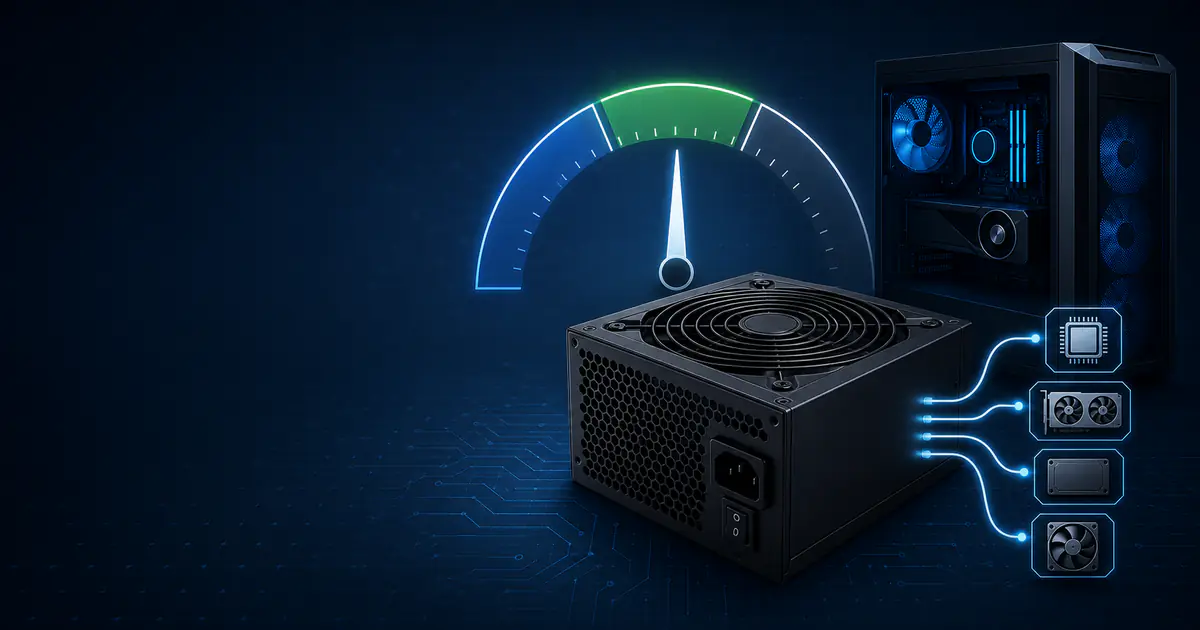
How Much PSU Wattage Do You Need? A Practical Sizing Guide
The Short Answer
A suitable power supply is not simply the unit with the largest wattage number. It is a PSU that can continuously power the exact CPU, graphics card, motherboard, drives, cooling and accessories in your build, tolerate brief load changes, provide every required connector, and do so without operating near its limits all the time.
For an initial planning estimate:
- Add the CPU's relevant published power figure.
- Add the GPU's total board or graphics power.
- Add a realistic allowance for the rest of the system.
- Apply headroom appropriate to the build.
- Round up to an available PSU size.
- Compare the result with the GPU manufacturer's system-power recommendation and use the more conservative valid requirement.
Our standard planning formula is:
Planning wattage = (CPU + GPU + rest-of-system allowance) × 1.30That 30% is a planning margin, not a universal engineering law. A locked-down office PC, an overclocked workstation and a system intended for a future GPU upgrade do not need identical margins. PSU quality, connector support and the manufacturer's instructions can also matter more than a small difference in calculated wattage.
Estimate your build with the PSU Wattage CalculatorWatts at the Components vs Watts at the Wall
A PSU's advertised capacity describes the DC output it is designed to provide to the computer. It does not mean the computer constantly consumes that amount, and it is not the same as the AC power measured at the wall.
Suppose a PC needs 450W of DC output during a demanding workload and the PSU is 90% efficient at that operating point:
Wall input = DC output ÷ efficiency
Wall input = 450W ÷ 0.90
Wall input = 500W
Conversion loss = 500W − 450W = 50W
An 850W PSU powering that PC does not draw 850W from the outlet. It supplies what the components request, plus conversion losses. Similarly, buying a more efficient PSU does not reduce the output capacity the components require; it reduces some of the energy lost while converting AC power to DC.
A Transparent PSU-Sizing Method
Step 1: Choose a CPU Power Input
Use the most relevant official limit you can find for the way the processor will actually run. CPU naming varies by vendor and generation: a base or nominal figure may not describe sustained boost power under a heavy all-core workload. Motherboard settings can also raise or remove default limits.
For a conservative estimate, use the processor's applicable maximum turbo, package or socket power value when the manufacturer publishes one. If you will enforce lower power limits or use an eco mode, document that assumption rather than silently substituting the smaller number. For overclocking, stock specifications are no longer enough; measured package power from a comparable configuration is more useful.
Step 2: Add GPU Board Power
For a discrete graphics card, use total board power or total graphics power from the exact card manufacturer. Do not use GPU-chip power alone. Factory-overclocked partner cards may have a different limit from the reference model, and some allow the power target to be increased in software. The 2026 GPU buying guide provides a specification-based shortlist, but the exact board vendor's power and connector documentation remains authoritative.
The GPU is often the largest single load in a gaming PC. It can also change power rapidly as a scene, frame-rate cap or compute workload changes. This is one reason an apparently adequate older PSU may shut down under a new GPU even when average wall power looks acceptable.
Step 3: Account for the Rest of the Platform
The rest-of-system allowance covers everything outside the selected CPU and GPU. Intel's ATX design guidance similarly separates platform demand into CPU, PCIe add-in cards and the rest of the platform. A useful planning worksheet is:
| Component group | Typical planning allowance | What changes it |
|---|---|---|
| Motherboard and chipset | 35–60W | Board class, controllers, voltage settings and add-in devices |
| Memory | 3–6W per module | Capacity, voltage, speed and RGB lighting |
| NVMe or SATA SSD | 3–10W each | Controller, workload and cooling |
| 3.5-inch hard drive | 6–15W each | Startup current, speed and model |
| Case or radiator fan | 2–5W each | Size, speed and lighting |
| Pump | 5–20W | Pump design and speed |
| USB-powered devices | 5–30W total | Charging, audio interfaces and external devices |
| Additional PCIe card | Use its specification | Capture, networking, storage or accelerator card |
These are planning ranges, not measurements for every product. Look up exact specifications when a system has many drives, pumps, expansion cards or power-hungry USB devices. A simple gaming build may fit within an 80–100W platform allowance; a storage-heavy workstation can require substantially more.
Step 4: Apply Headroom Deliberately
Headroom protects against estimation error, workload variation, component upgrades and operation at the PSU's absolute ceiling. It is not a substitute for verifying transient response or connector limits.
| Headroom scenario | Calculation | Appropriate when |
|---|---|---|
| Tight, known configuration | Base load × 1.15 | Fixed stock hardware, reliable inputs and no meaningful upgrades |
| General planning | Base load × 1.30 | Typical gaming or productivity build |
| Upgrade-oriented | Base load × 1.50 | Planned higher-power GPU, extra drives or substantial future expansion |
A 30% margin does not imply that the PC will normally use 77% of the PSU rating. Gaming rarely makes every component draw its maximum simultaneously, while stress tests may create a different load pattern. The margin is capacity planning, not a prediction of everyday consumption.
Step 5: Round Up and Check the Manufacturer
If the calculation produces 637W, do not search for a 637W PSU. Round up to a commonly sold size such as 650W or 750W. Then check the exact GPU's recommended system power, required cable count and connector type.
Manufacturer recommendations include assumptions about the rest of the system and may be more conservative than a component sum. Treat them as an important compatibility requirement, especially for a high-power card. For example, NVIDIA's official GeForce RTX 5090 guide specifies a 1000W minimum system power supply and defined cable configurations. A generic calculation should not be used to justify ignoring that instruction.
Five Worked PSU Calculations
The following examples use power profiles rather than claiming measured consumption for a specific retail PC. Their purpose is to make every assumption visible. Substitute the official figures for your exact parts.
Example 1: Budget Gaming PC
| Input | Planning power |
|---|---|
| 65W-class CPU | 65W |
| 115W graphics card | 115W |
| Motherboard, two RAM modules, one SSD and four fans | 80W |
| Estimated base load | 260W |
260W × 1.30 = 338W
Round up to the next practical size = 450W
A reputable 450W unit can satisfy this calculation if it has the required GPU connector and the card manufacturer does not specify a higher capacity. A 550W model may still be the better purchase when it offers a stronger platform, quieter fan behavior, a longer warranty or room for a later mid-range GPU. The useful distinction is that 550W is an upgrade choice here, not proof that the current parts consume 550W.
Example 2: Mid-Range Gaming PC
| Input | Planning power |
|---|---|
| 105W-class CPU | 105W |
| 220W graphics card | 220W |
| Board, memory, two SSDs, cooling and USB allowance | 100W |
| Estimated base load | 425W |
425W × 1.30 = 552.5W
Rounded planning result = 600W
In the retail market, a good 650W model may be easier to find and may match the GPU vendor's recommendation. That extra 50W is not harmful: it simply provides unused output capacity. Compare the 12V capability, protections, cables, acoustic performance and warranty instead of selecting a lower-quality 600W unit solely because it is numerically closer to the estimate.
Example 3: High-End Gaming PC
| Input | Planning power |
|---|---|
| 170W CPU input | 170W |
| 360W graphics card | 360W |
| Premium board, memory, storage, pump and fans | 120W |
| Estimated base load | 650W |
650W × 1.30 = 845W
Rounded planning result = 850W
An 850W PSU is the arithmetic result, but this is where exact documentation becomes decisive. Confirm whether the card specifies 850W or more, whether the PSU natively supports the required connector, and whether CPU or GPU power limits will be raised. If both major components can exceed the worksheet inputs, moving to a high-quality 1000W unit is a defensible engineering decision rather than arbitrary oversizing.
Example 4: CPU-Heavy Workstation
| Input | Planning power |
|---|---|
| 250W CPU under sustained work | 250W |
| 350W professional or creator GPU | 350W |
| Four memory modules, several drives, add-in card and cooling | 180W |
| Estimated base load | 780W |
780W × 1.30 = 1,014W
Rounded planning result = 1,200W in our calculator's standard size list
This example illustrates why workload matters. A gaming estimate may assume the CPU and GPU rarely sustain their maximums together, but rendering, simulation or GPU compute can keep both heavily loaded. A carefully selected 1100W unit could satisfy an independent engineering assessment, while a calculator that offers only common preset sizes rounds to 1200W. The calculator's rounded answer is a purchasing category, not evidence that the workstation constantly draws 1,200W.
Example 5: Planning for a Future GPU
The current system uses a 120W CPU, a 250W GPU and a 100W platform allowance:
Current base load = 120W + 250W + 100W = 470W
General plan = 470W × 1.30 = 611W → 650W
Upgrade plan = 470W × 1.50 = 705W → 750W
Buying 750W today makes sense only if the intended upgrade fits that capacity and connector set. If the future card may require 850W and a native high-power connector, buying a modern 850W PSU now can avoid paying twice. Conversely, buying 1000W for an undefined possibility offers little value when the next upgrade could also change connector standards, case format or platform requirements.
Efficiency Ratings: What They Do and Do Not Tell You
The 80 PLUS program certifies conversion efficiency at defined load points and input-voltage categories. A Gold or Platinum label is not a wattage multiplier. A 650W Gold PSU does not provide more output than a properly rated 650W Bronze PSU, and neither label by itself proves electrical quality, transient performance, noise level or longevity.
Efficiency can affect electricity use. Consider a system requiring 350W DC during four hours of daily use:
| Illustrative efficiency | Approximate wall input | Annual energy for 4 hours/day |
|---|---|---|
| 87% | 350 ÷ 0.87 = 402W | 587kWh |
| 92% | 350 ÷ 0.92 = 380W | 555kWh |
| Difference | 22W | 32kWh/year |
At an illustrative electricity price of $0.15 per kWh, that difference is about $4.80 per year. Actual savings depend on local rates, time spent at each load and each PSU's measured efficiency curve. Do not assume that the efficiency printed for one test point applies at every load.
PSU Quality Matters Beyond Wattage
Two units carrying the same capacity and efficiency badge can behave very differently. Evaluate:
- Independent electrical testing: voltage regulation, ripple, hold-up behavior, transient response and protection behavior under realistic temperatures.
- Protection features: over-current, over-voltage, under-voltage, short-circuit, over-temperature and over-power protection should be correctly implemented, not merely listed.
- Continuous operating conditions: confirm that the rated output applies at a realistic ambient temperature.
- 12V output: modern CPUs and GPUs draw heavily from 12V; check the label and documentation rather than assuming the full headline number is available under every condition.
- Warranty and support: a longer warranty is not a laboratory result, but it can indicate the manufacturer's intended service life and improves recourse if the unit fails.
- Acoustics: excess capacity can sometimes reduce fan speed, but fan profile and platform design matter more than wattage alone.
Avoid choosing a PSU from an unverified tier list screenshot or efficiency badge alone. Read a technically competent review of the exact model and revision; manufacturers sometimes sell different platforms under similar names.
Connectors and Cabling Are Part of the Calculation
Adequate total wattage does not guarantee that the PSU can safely connect to the hardware. Check the motherboard's CPU power sockets, the GPU's connector type and the number of dedicated cables required.
Modern ATX guidance includes the 12V-2x6 auxiliary connector and provisions for brief PCIe add-in-card power excursions. A native cable from a compatible PSU can simplify a high-power build, but it must still be fully inserted and routed without severe bending at the plug. Follow both the graphics-card and PSU manuals.
Never reuse modular PSU cables merely because the plugs physically fit. The PSU-side pinout is not universally standardized, even within one brand. Use only cables explicitly approved for the exact PSU model. Also avoid improvised splitters or daisy-chaining when the GPU manufacturer requires separate cables.
When to Replace an Existing PSU
Do not replace a working power supply based on age alone, but reassess it when upgrading a major component. Replacement is sensible when:
- its capacity or connectors do not meet the new GPU's requirements;
- it shuts down under verified load and other faults have been excluded;
- cables, connectors or the housing show heat damage;
- the fan, voltage behavior or stability has become abnormal;
- it is a low-quality or poorly documented model protecting expensive new hardware;
- its operating history, warranty status and new load make continued use an unreasonable risk.
Never open a PSU enclosure. Internal capacitors can retain dangerous voltage after disconnection. External dust can be removed with the computer powered down and unplugged, following the manufacturer's instructions, but internal repair belongs to qualified technicians.
Important Limitations of Any PSU Calculator
A calculator is a planning tool, not a substitute for model-specific documentation or measurement. Its largest limitations are:
- Published numbers are defined differently. CPU base power, boost limits and GPU board power do not represent identical test conditions.
- Partner cards and motherboard defaults vary. Factory overclocks and unlocked power settings can exceed reference assumptions.
- Brief excursions are not captured by simple addition. A PSU can pass an average-load estimate yet respond poorly to rapid load changes.
- Workloads differ. Gaming, rendering, stress tests, idle and storage spin-up create different combinations of load.
- Component allowances are estimates. Pumps, USB devices, hard drives and add-in cards require exact inputs in unusual systems.
- Quality cannot be reduced to watts. A stable, well-protected 750W unit may be a safer choice than a poorly designed product with a larger label.
- Environment matters. High temperature, restricted airflow and manufacturer derating rules can reduce available margin.
Our PSU calculator uses published CPU and GPU figures, adds a selected component allowance, shows 15%, 30% and 50% headroom scenarios, and rounds the 30% planning result to a common PSU size. It does not claim to measure your computer.
If power headroom is only one of several concerns, use the PC Upgrade Priority Calculator to rank the next change. For complete-system context, compare the power assumptions in the Core i5-14600K and RTX 4070 Super build with the higher-end Ryzen 7 9800X3D and RTX 5080 build.
A Final Buying Checklist
Before ordering, verify every item:
- Exact CPU power behavior at your intended settings
- Exact graphics-card board power and recommended system PSU
- Base load plus a documented platform allowance
- Appropriate headroom for upgrades and uncertainty
- Required motherboard and GPU connectors
- Enough separate approved cables
- PSU dimensions and case clearance
- Reputable independent testing of the exact model
- Correct input voltage for your region
- Warranty, support and acceptable noise
The best result is not maximum wattage. It is a well-supported PSU whose capacity, connectors and tested behavior match a clearly defined build.
Frequently Asked Questions
Is a 650W PSU enough for a gaming PC?
It can be enough for many efficient mid-range builds, but the label alone cannot answer the question. Add the exact CPU, GPU and platform demand, apply headroom, then check the GPU manufacturer's minimum and connector requirements. A 650W unit that lacks the correct cables or performs poorly under transient loads is not made suitable by arithmetic.
Will a 1000W PSU increase FPS?
No. A larger PSU does not increase performance when the existing unit already supplies stable power within specification. It may provide upgrade capacity or quieter operation in some designs. If the current PSU is inadequate and causes shutdowns or power limiting, correcting that fault restores intended operation; it is not an FPS upgrade beyond the hardware's normal capability.
Can an oversized PSU damage components?
A correctly functioning, compatible PSU does not force its full capacity into the PC. Components draw the current they require. The practical disadvantages of unnecessary oversizing are usually cost, physical size and potentially less favorable efficiency at very low load—not excess wattage being pushed into parts.
Should I add CPU and GPU TDP and stop there?
No. That omits the motherboard, memory, storage, cooling, USB devices and add-in cards, and it provides no margin for uncertainty. It also ignores the GPU vendor's system recommendation and connector requirements.
Does undervolting let me buy a smaller PSU?
Undervolting can reduce measured power, but stability and actual limits vary by chip and workload. Size a new PSU from a configuration you can reliably enforce and validate. Do not depend on an unstable tuning profile to make an otherwise unsupported PSU adequate.
Sources and Editorial Method
The calculation framework follows the CPU, PCIe add-in-card and rest-of-platform structure described in Intel's ATX Version 3.1-aligned power-supply design guidance. Transient-load and connector discussion references Intel's PCIe add-in-card power-excursion guidance. Efficiency discussion references the official 80 PLUS program description, and the high-power manufacturer example references NVIDIA's GeForce RTX 5090 Quick Start Guide.
All worked examples and arithmetic were created for this guide and reviewed on July 30, 2026. They are transparent planning scenarios, not measurements of named retail systems. Always verify the exact component and PSU manuals before purchase or installation.
Continue your PC planning
Use the guide as context, then test the decision with a focused calculator, game workload or worked build example.
Relevant calculators
Share this article
Related Articles
Gaming GPU Buying Guide 2026: A Specification-Based Shortlist
Compare a specification-based shortlist of 2026 graphics cards across budget tiers, from the RTX 5060 to the RTX 5090.

How Much VRAM Do You Need for Gaming at 1080p, 1440p, and 4K?
A calculation-first guide to choosing graphics-memory capacity without treating resolution, allocated memory or one game's peak reading as a universal requirement.
CPU vs GPU Bottleneck: What's the Difference and How to Fix It
CPU bottleneck or GPU bottleneck? Learn the key differences, how each affects your gaming FPS, and the best strategies to resolve them.